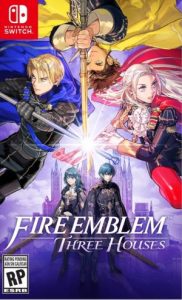
Fire Emblem: Three Houses ROM NSP Download
v1.2.0
Screenshots



Game Information
Game description
Fire Emblem: Three Houses is a tactical RPG released for the Nintendo Switch in 2019. It is the sixteenth installment in the Fire Emblem series and the first for home consoles since Fire Emblem: Radiant Dawn, released in 2007. In Fire Emblem: Three Houses NSP ROM, shape the future of a continent on the brink of war. Guide the students of one of three prestigious houses through their studies and engage in turn-based tactical battles filled with strategic surprises.
The continent of Fódlan is on the brink of war. Order is maintained by the Church of Syros, home to the prestigious Officers’ Academy. You are invited to teach in one of three powerful houses, each consisting of students with strong personalities and represented by a member of one of the three royal families of the three regions. As a professor, you will guide your students through their studies and engage in turn-based strategy battles filled with strategic surprises. Which house and which path will you choose?
Gameplay
Fire Emblem: Three Houses is a role-playing game where you control a character whose gender and name are chosen at the beginning of the adventure. From the start, your character is tasked with teaching at the Garreg Mach Monastery, which is the center of the game’s action. The choice of which house to teach in will affect the course of the story. Your time will be divided between pre-determined battles that advance the main plot and time spent interacting with the students and staff at Garreg Mach. While the first part of the game focuses on the school system, the story moves forward five years and places more emphasis on warfare. Therefore, the player remains tied to the house they chose in the first part of the game.
Installation Instruction
- Both NSP and XCI formats work perfectly with Yuzu and Ryujinx emulators. NSP files can be installed directly while XCI files are complete cartridge dumps.
- On a modded Nintendo Switch, use Tinfoil or Goldleaf to install NSP files directly to your console.
- If you get "too many requests..." error, just Back then try again after a few minutes.
- All direct download links are disabled. They will be back in action in 2 days.
Problems with file version, download or installation?